
How can we help?
How to Pay an Invoice from MumuHost Client Area
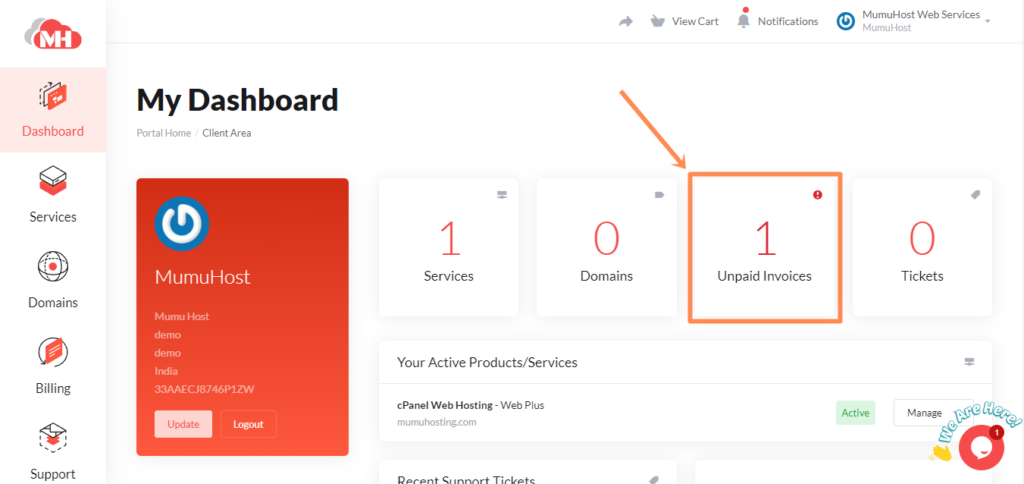
Login to the client area, then, click on the Unpaid Invoices.
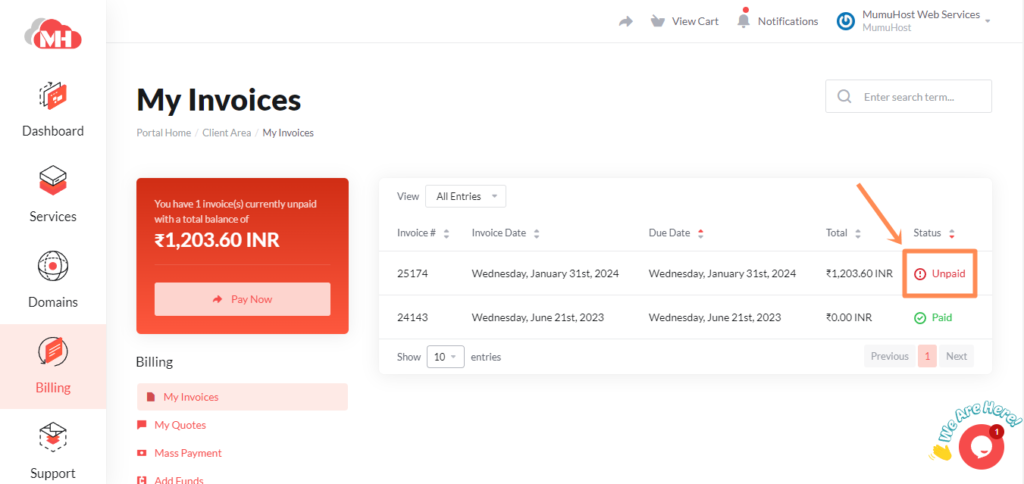
On this page, click on Unpaid.
Then, Just click on Pay Now button.
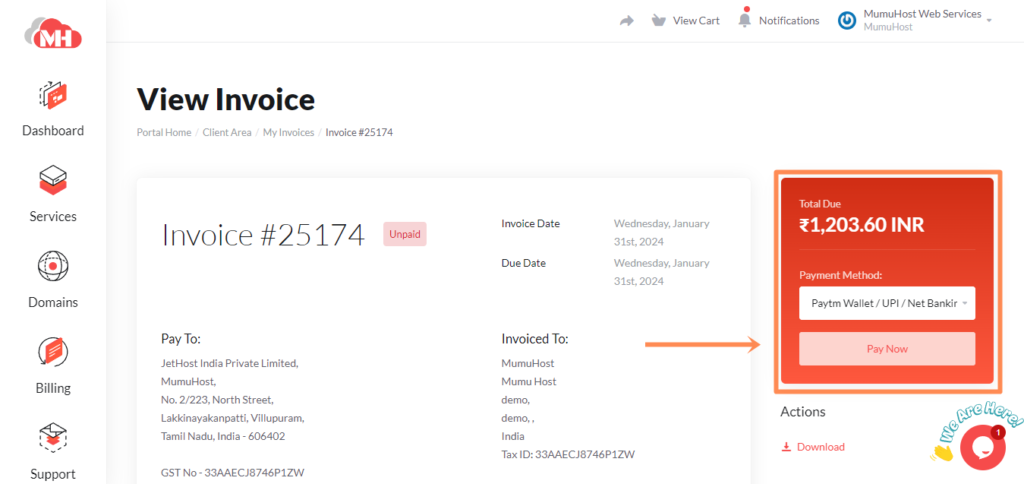
Once you click the Pay Now button, it will redirect to the payment page. UPI, Net Banking, Debit or Credit Card payment option will be available.
If you still have any issues or confusion about paying invoices. Please contact our support team.