
How to Access Webmail in cPanel
What is webmail?
Webmail application lets you check your e-mail accounts using your web browser. Webmail is still a handy tool that can be accessed anywhere. You can compose and read e-mail messages, maintain an address book, and perform other everyday tasks.
How to access webmail?
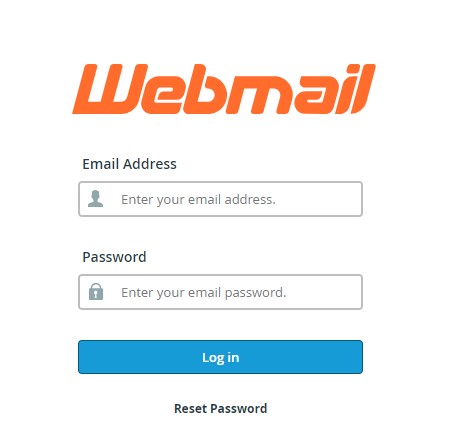
Using your web browser, enter your domain followed by “/webmail“. It should look something like this http://domain.tld/webmail. You should replace “domain.tld” with your domain.
In the Email Address box, type the e-mail address for the account you want to access, and in the Password text box, type the password for the e-mail account and click ‘Log in.’ (in case you don’t remember your email address password, check on this guide on how to change password).
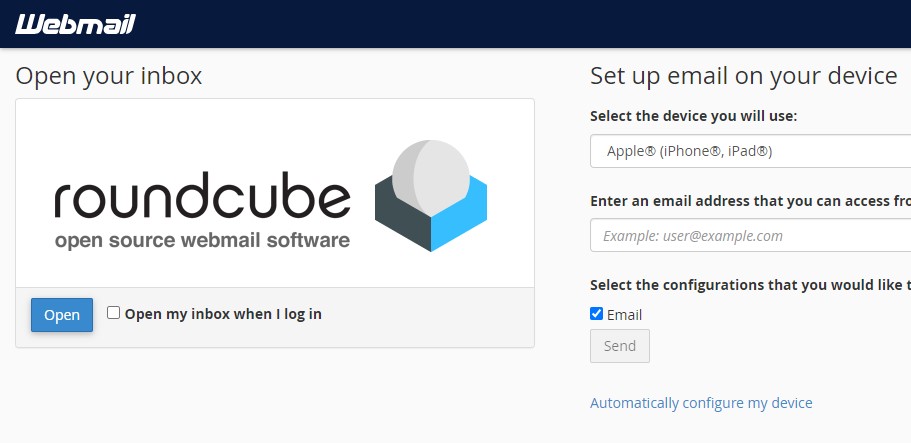
The webmail application that we’re offering is called Roundcube.
Click the Open button, and you’ll be redirected to your inbox.
That’s it! You now know how to access Webmail from your internet browser.