
How to Configure WordPress to Use SMTP For Sending Emails
By default, WordPress uses the PHP Mail function to send emails from your website. It is recommended to use SMTP as it will significantly increase the reliability of the emails that are being sent from your website.
How to Configure WordPress to Use SMTP For Sending Emails
First, you need to install a plugin: WP Mail SMTP following the below steps:
- Go to Plugins area of your WordPress admin panel, and search for WP Mail SMTP
- Install then Activate WP Mail SMTP
- Navigate to the Settings area of WP Mail SMTP in the WordPress admin.
- Choose your SMTP option (Mailgun SMTP, SendGrid SMTP, Gmail SMTP, or Other SMTP) and follow the instructions to set it up.
If you are a MumuHost customer choose the ‘Other SMTP’.
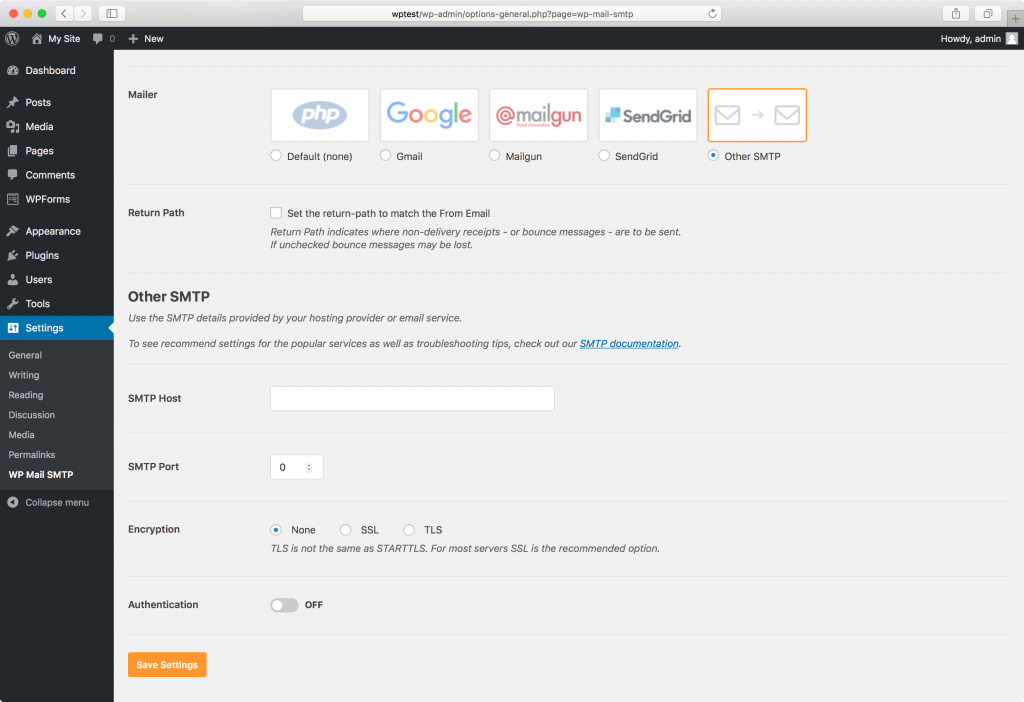
Please use the following SMTP settings:
Mailer: Other SMTP
SMTP Host: mail.yourdomain.tld
SMTP Port: 465
Encryption: SSL
Authentication: ON
To authenticate, please use the email address created on your domain and its password.
Save changes.
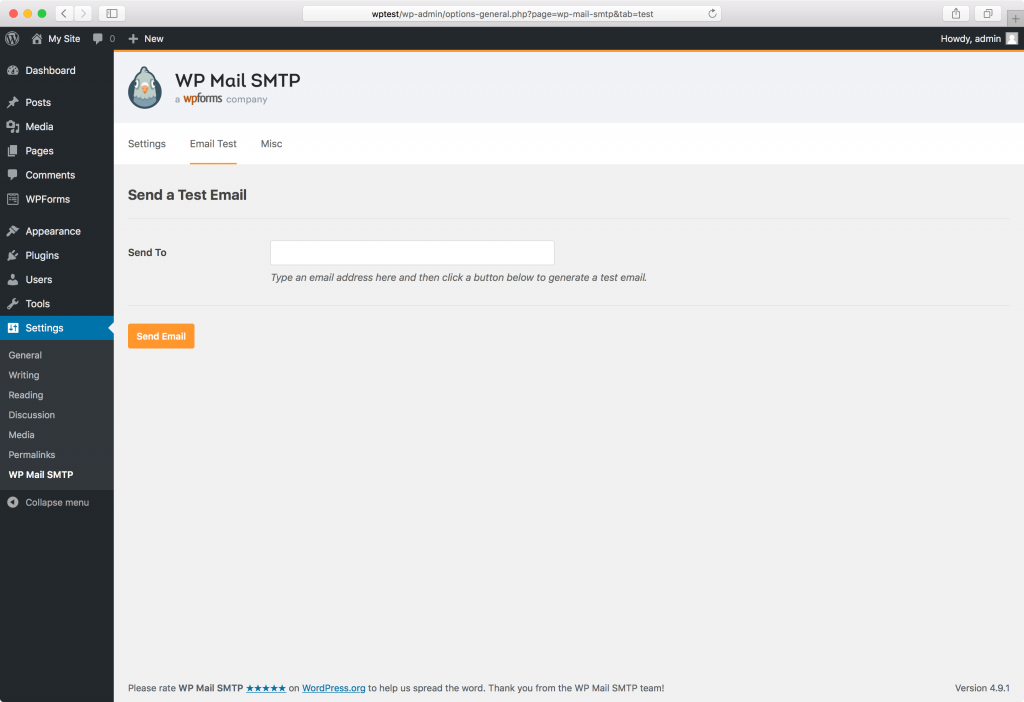
Once you’ve saved the changes, it is recommended to send a test email to one of your email addresses. You can do so from the ‘Email test’ tab.
That’s a wrap!
If you enjoyed this tutorial, then you’ll love our support. All MumuHost’s hosting plans include 24/7 support from our amazing support team. Check out our WordPress hosting plans and have your website migrated today!