
How can we help?
How to Take a Database Backup in phpMyAdmin cPanel
Let’s see the quick guide to take a database backup from phpMyAdmin using cPanel.
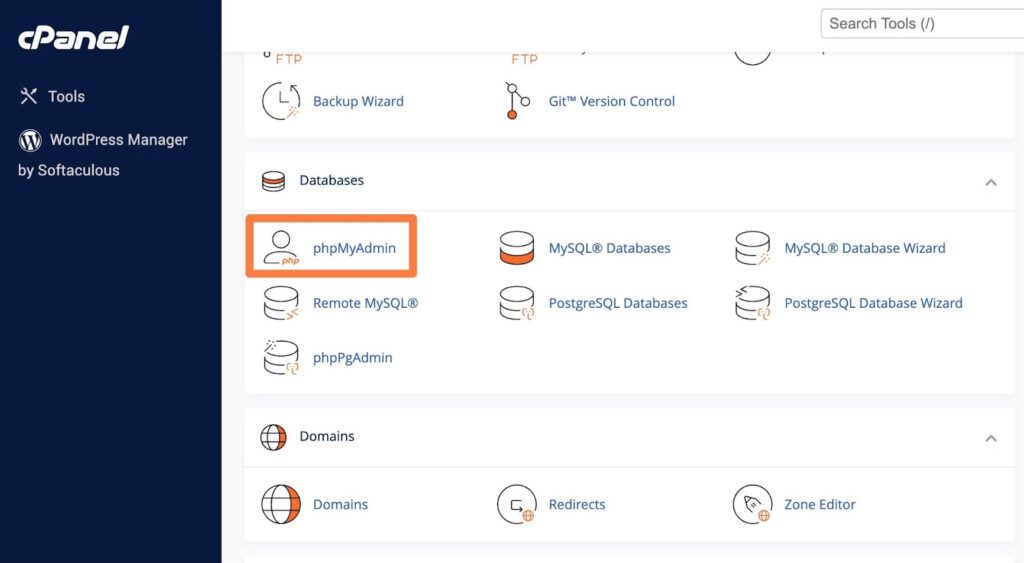
1) In cPanel, you can access it from the Databases section.
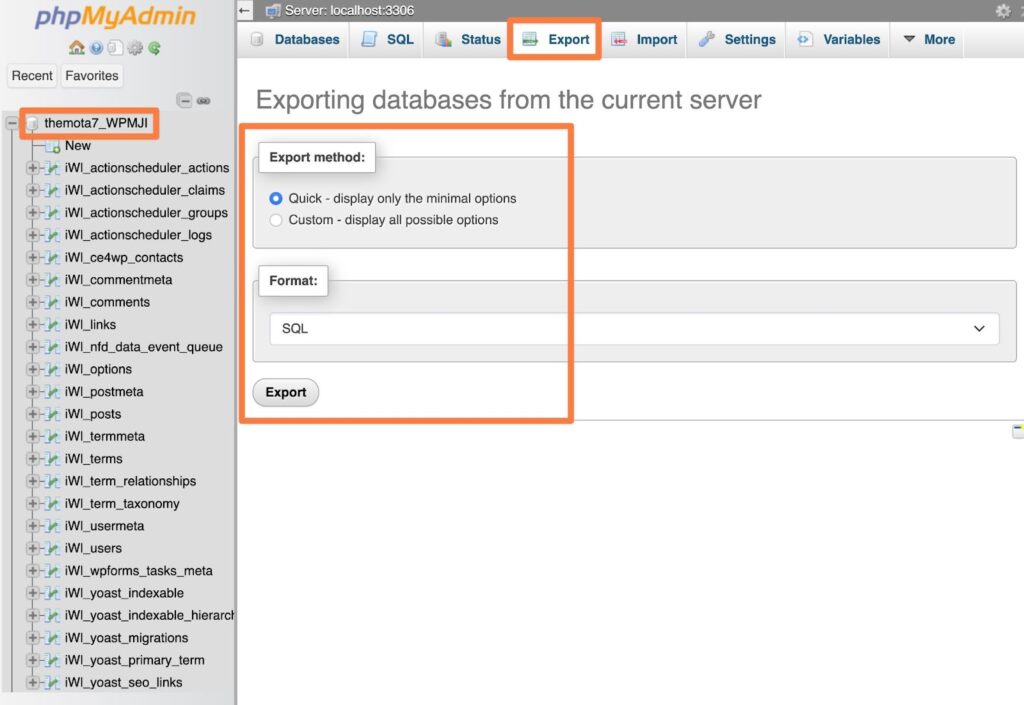
2) Select your site’s database in phpMyAdmin (if multiple databases exist).
3) Go to the Export tab on the top menu bar. Select Quick as the export method and SQL as the format. Then, click Export to download a copy of the database to your local computer.
That’s all now you have downloaded your website database file to your local computer.